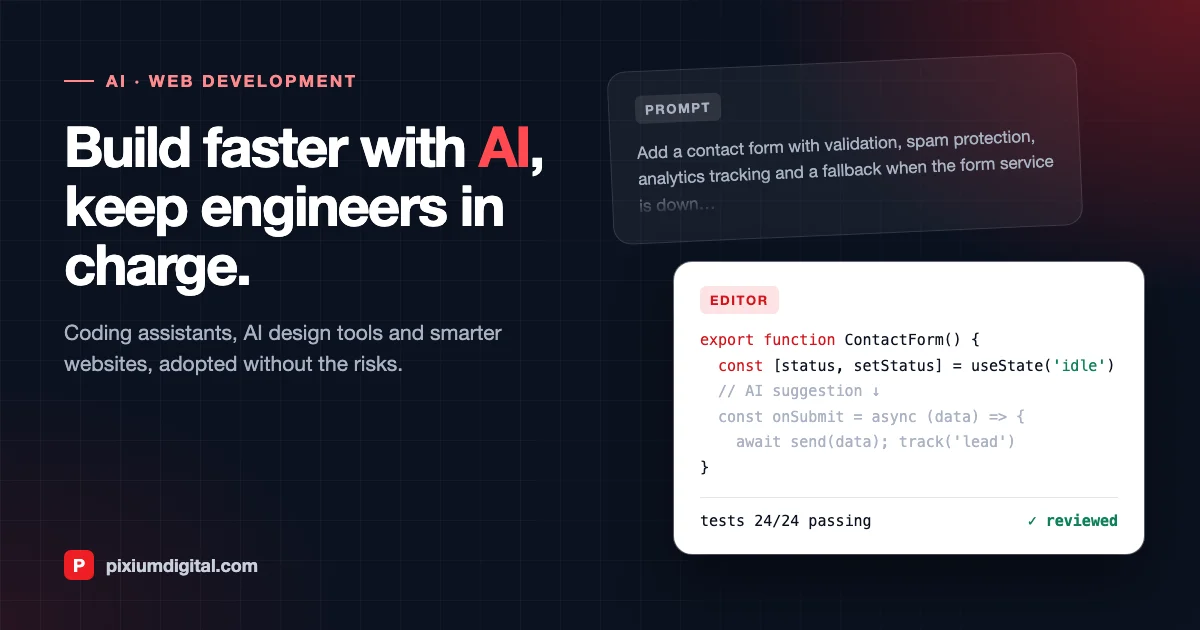
Web Development with AI: What Changes for Businesses and Developers
Artificial intelligence has moved from a buzzword to a daily tool in web development. Developers write code with AI assistants, designers generate interface ideas in minutes, and websites themselves are becoming smarter, answering questions, personalising content and automating tasks that used to need a person.
For businesses, this raises practical questions. Will websites get cheaper and faster to build? Which AI features are worth adding? What are the risks? This article answers those questions from the point of view of a team that builds web platforms every day.
Key takeaways
- AI speeds up delivery, but engineers stay accountable. Coding assistants handle repetitive work. Experienced developers still design the architecture, review every change and own quality and security.
- The biggest gains are in the early and late stages. Prototyping, design exploration, testing and documentation benefit the most.
- AI features should solve a real user problem. A support assistant, smarter search or document automation can add real value. A chatbot for its own sake rarely does.
- Data protection and quality controls are non-negotiable. Decide what data AI tools can access and how their output is checked.
How AI is changing the way websites are built
Coding assistants
Tools such as GitHub Copilot, Cursor and Claude Code suggest code, write tests, explain unfamiliar codebases and carry out multi-step changes. For well-understood tasks, such as forms, API integrations, data transformations or migrations, they save a substantial amount of time. They are much less reliable on novel architecture decisions, subtle business rules and security-sensitive code, which is exactly where human expertise remains essential.
Design and prototyping
AI design tools can turn a written description or a rough sketch into interface mock-ups and working prototypes. That makes it far quicker to explore options with stakeholders before committing to a direction. We cover one of these tools in detail in our article on Google Stitch, the AI tool redefining UI design.
Testing and quality assurance
AI helps generate test cases, write end-to-end test scripts, spot visual regressions and explain why a build failed. Combined with continuous integration, it means more of the application is tested more often, at lower cost.
Accessibility
AI tools can suggest alternative text for images, detect contrast and structure issues, and help teams follow accessibility guidelines. They don't replace testing with real assistive technologies, but they catch many common problems early.
Content and SEO
AI can draft product descriptions, translations and metadata at scale. Used carefully, with human editing and fact-checking, it frees teams to focus on expertise and originality, which is what both search engines and AI assistants reward. Read more in SEO vs GEO.
AI features that make websites smarter
Beyond how websites are built, AI changes what they can do:
- Assistants that know your business. A support or sales assistant grounded in your documentation, product catalogue and policies can answer questions 24/7 and hand over to a person when needed.
- Search that understands intent. Semantic search finds the right product or article even when users don't use your exact wording.
- Personalisation. Content, recommendations and offers adapted to each visitor's needs and behaviour.
- Document and workflow automation. Forms that read uploaded documents, back-office processes that classify and route requests automatically.
- AI agents. Software that completes multi-step tasks such as booking, qualifying leads or preparing reports across several systems. Our AI agent development page explains how we build them safely.
Risks and how to manage them
| Risk | What can go wrong | How to manage it |
|---|---|---|
| Code quality | Plausible-looking code with hidden bugs or poor structure | Mandatory human code review, automated tests and clear coding standards |
| Security | Vulnerable patterns, leaked secrets, outdated dependencies | Security scanning, dependency checks and review of sensitive code by senior engineers |
| Data protection | Confidential code or customer data sent to external services | Enterprise AI tools with data protection agreements, clear rules on what can be shared, compliance with PDPA and GDPR |
| Incorrect answers | Website assistants giving wrong or invented information | Grounding in your own content, guardrails, human escalation and monitoring |
| Over-reliance | Teams losing understanding of their own systems | Documentation, knowledge sharing and keeping engineers responsible for design decisions |
How Pixium Digital uses AI in web development
At Pixium Digital, AI is part of our daily workflow. We use it to prototype faster, generate tests and documentation, and speed up routine development, while every line that ships is reviewed by an experienced engineer. This lets us spend more of our clients' budgets on what matters: understanding their users, getting the architecture right and building features that make a difference.
We also build AI into the products we deliver, from document processing and workflow automation to assistants and agents, combining our web development expertise with generative AI integration and AI workflow integration.
Will AI make websites cheaper?
For many projects, AI reduces the time spent on repetitive work, which can shorten timelines or let the same budget deliver more. It doesn't remove the need for discovery, design, architecture, testing and maintenance. Those are where most of the value and most of the risk sit. Our guide to how much a web or mobile app costs explains what drives budgets today.
If you are not a developer and simply need a website, a website builder may be enough to start. This comparison of Wix vs WordPress is a useful starting point. Custom development makes sense when you need specific workflows, integrations, performance or scale.
Frequently asked questions
Will AI replace web developers? No. It changes what developers spend their time on. Routine coding is increasingly assisted, while design, architecture, integration, security and product thinking matter more than ever.
Is AI-generated code safe to use in production? Yes, if it goes through the same review, testing and security checks as any other code. The risk comes from skipping those steps, not from the tool itself.
What is the easiest AI feature to add to an existing website? Smarter search or an assistant grounded in your existing content are usually the quickest wins, followed by automating document-heavy forms and back-office tasks.
How do we keep customer data safe when using AI? Use enterprise-grade services with clear data processing terms, limit what data is shared, choose appropriate hosting regions and log how AI features are used.
Build your next web platform with AI
Whether you want to modernise an existing website, add AI features or build a new platform, our team in Singapore and France can help. Contact us to discuss your project.